Your first lead. Your first client. Your first workout. One platform.
Capture leads, book consultations, collect forms, onboard clients, deliver workouts, and track progress — without stitching together separate tools.
Step 01
Every inquiry lands in one list
A text, a DM, a name on the front-desk sheet. Add one lead at a time, paste a batch of rows, or upload the list you already have as a spreadsheet, a document, or a photo of the sign-up sheet. Uploads come back as rows to look over, and nothing is created until you pick the ones you want. Each lead then carries a source and a date for the next follow-up, and moves through eight stages: New, Contacted, Qualified, Consultation booked, Decision pending, Nurture, and then Converted or Closed.
 Maya Okafor
  Daniel Ruiz
  Priya Raman
  Tom Whitfield
  Sofia Klein
  Andre Baptiste
 Step 02
Book the consultation without the back-and-forth
Connect the Calendly or Cal.com account you already use, and your event types become consultations you can offer. Send the booking link straight from the lead’s record, where their consultations stay grouped as Upcoming, Invitations, and History. When they actually book, the lead moves itself to Consultation booked and the appointment writes itself onto their timeline. You do not have to watch the calendar, and you do not have to move the lead yourself.
Consultations
ConnectedUpcoming
Aug 17, 2026 9:30 AM
Calendly · EDT · Video call
Activity
- Consultation scheduled 2 hours ago
Booked through a connected calendar.
- Qualified → Consultation booked 2 hours ago
Sending a link does not mark the lead as booked. wagmi.fit updates the lead only after the provider confirms a booking.
Step 03
Send the forms you need back
Three questionnaires come built in: Coaching fit questionnaire, Consultation follow-up, and Weekly check-in. You decide which questions are on and which are required. Already built an intake form, an agreement, or a waiver in Jotform or Typeform? Connect the account and send that one instead. Either way it goes out by email or text, or you copy the link, and your lead answers on their phone with no login. You can see where each one stands: Not sent, Sent, Needs review, or Completed. Answers to your own Jotform and Typeform forms stay with the provider that hosts them.

Step 04
Turn the lead into a client
When they say yes, hit Convert. Their details, source, and history carry across into a client record, and you choose whether to start an onboarding checklist: Goals and preferences, Agreement, Readiness screening, Intake form, Payment setup, App setup. Items tick themselves off as forms come back, as a payment succeeds, and when they sign into the app the first time. Each one reads Pending, Submitted, Completed, Skipped, or Not required, and an unfinished checklist never stops you making someone active. Nothing is charged and nothing is assigned unless you do it.
Progress
3/6 stepsChecklist
From the coaching fit questionnaire they answered as a lead.
Linked form: Jotform · Agreement
Linked form: Typeform · Readiness screening
Linked form: Jotform · Intake form
Completes after a successful payment.
Completes after your client's first sign-in.
Steps complete themselves as forms come back, payments clear, and your client signs in. Onboarding never blocks marking a client Active.
Step 05
Write the first program and send it
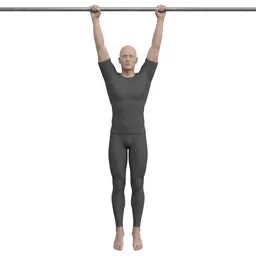
Build the program in the editor, or bring over the PDF or spreadsheet you have been coaching from and rebuild it as something trackable. Assign it, schedule it across their week, and your client opens the workout on iOS, Android, or the web: the day’s exercises, sets, reps, and target weights, ticked off as they train.







Step 06
See what actually happened
Everything they log builds a history you can read: what they trained, when, the working sets, their best lift, and whether you or they recorded it. Sort through it by program, workout, or exercise. Rep records update as sessions land, so the next progress conversation starts from what happened rather than what you both remember.
5 × 225, 5 × 245, 3 × 265
13 complete
265 lb
Vol: 795
Lower Body Power
Program: Offseason Strength Block
5 × 185, 5 × 195, 5 × 205
15 complete
205 lb
Vol: 1,025
Upper Body Hypertrophy
Program: Hypertrophy Phase 1
4 × 185, 4 × 205, 3 × 225
11 complete
225 lb
Vol: 675
Lower Body Power
Program: Offseason Strength Block
3 × 60, 3 × 65, 3 × 70
9 complete
70 lb
Vol: 210
Upper Body Hypertrophy
Program: Hypertrophy Phase 1
4 × 360, 4 × 400, 4 × 440
12 complete, 1 partial
440 lb
Vol: 1,760
Lower Body Power
Program: Offseason Strength Block
3 × 120, 3 × 135, 3 × 150
9 complete
150 lb
Vol: 450
Pull Day B
Program: General Fitness Program
Nothing in there was re-typed
The name you took down became the client record. The consultation they booked, the questionnaire they sent back, the program you assigned, and the sets they logged all hang off the same person, in order, in one account. Calendly, Cal.com, Jotform, and Typeform connect once in settings and then stay out of the way.
That is the whole offer. Fewer tools, and nothing to copy between them. You still do the coaching.
More detail on Leads, Forms, the integrations, or the full feature list.
Pricing
$25 a month. Unlimited clients.
Start with a 15-day free trial. After that it is $25/mo, and it is still $25/mo whether you are coaching your first client or your fortieth. One plan, with no tier to grow into.